


Jamcorder Review: The Tiny Box That Records Everything You Play on Piano
The Jamcorder is a compact, automatic MIDI recorder that silently captures every note you play. At $150, is it worth it for pianists? We break down everything: how it works, who it's for, and how it stacks up against alternatives.

Jamcorder
Pros
- Automatically captures every note you play
- Easily log, export, and share your piano pieces
- App is useful and well-made
- Massive 25,000 hour storage
Cons
- On the pricier side at $150
About the Creator: Chip Weinberger
The Jamcorder isn't a product from a large music tech corporation. It was designed by Chip Weinberger, a pianist and software engineer, which explains a lot about why it works as well as it does. This thing was clearly built by someone who felt the same pain every improvising musician has felt—that gut-punch moment of realizing you just played something great and didn't record it. Weinberger started selling the Jamcorder through his own storefront, debuting it publicly at NAMM 2025, and the product has picked up a passionate following in the piano, keyboard, and synthesizer communities remarkably quickly.
What Is the Jamcorder?
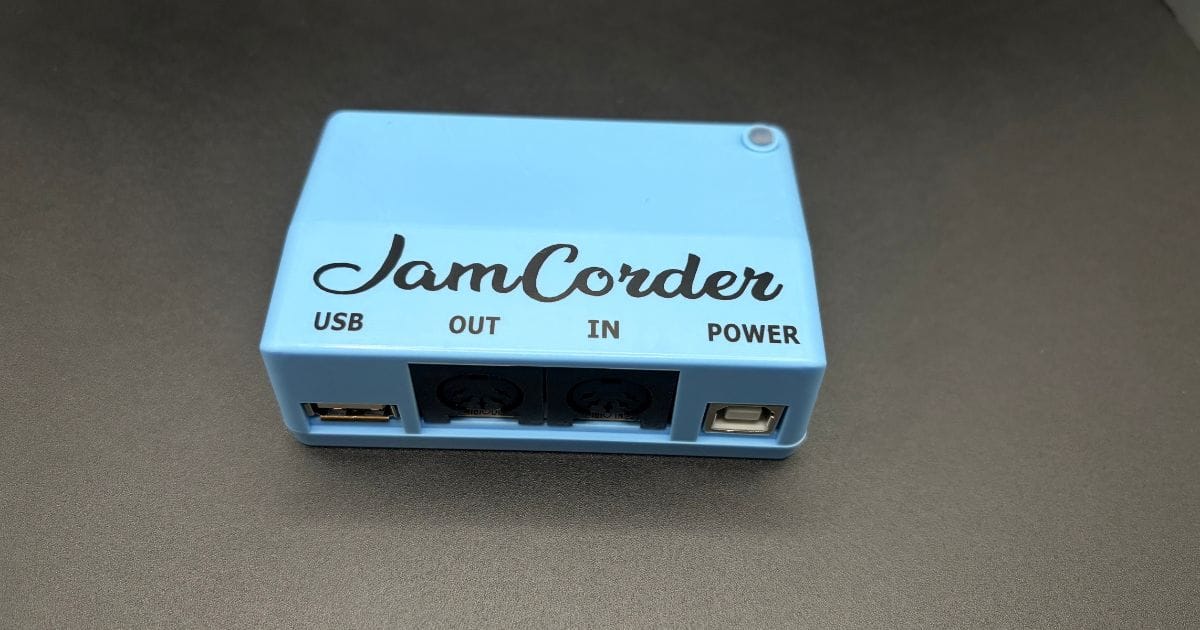
"The Jamcorder is a tiny device you attach to your digital piano that quietly captures everything you play—effortlessly, for life". According to Jamcorder, that's the pitch, and it's a pretty compelling one. In simple terms: it's a small hardware box that plugs into your piano or keyboard via MIDI, sits there silently, and records every single note you play into a standard MIDI file — automatically, without you ever touching a record button.
Once set up, you don't have to do anything. JamCorder records automatically and pauses the capture process after 3 seconds of silence by default. It resumes immediately when you start playing again with no loss.
Think of it like Ableton Live's "Capture MIDI" feature — the thing that retroactively saves whatever you just played — except it's a standalone piece of hardware with no computer required. For anyone who's ever sat down to noodle, stumbled into something genuinely good, and then been completely unable to recreate it, the concept is quite enticing.
What's in the Box?
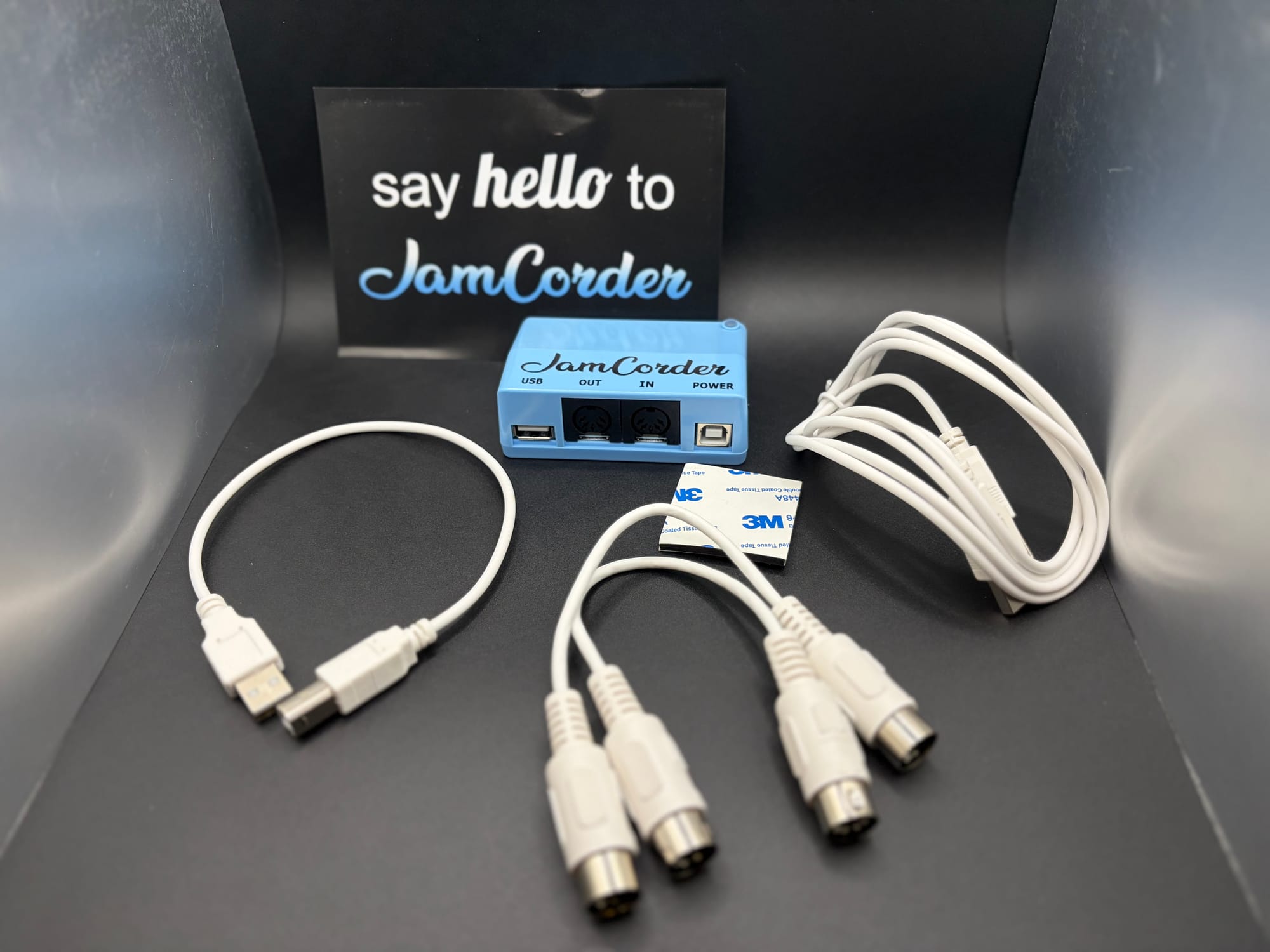
- 1 x Jamcorder
- 2 x Midi chords
- 1 x USB power adapter
- Adhesive mount
Build Quality & Design
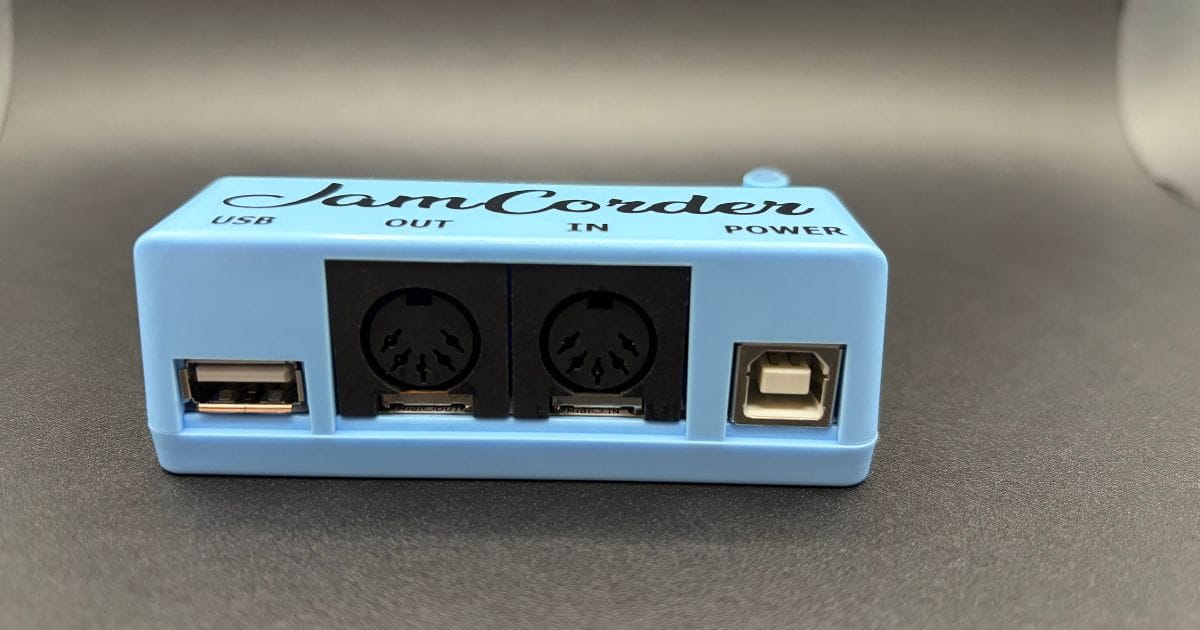
The Jamcorder is small. Like, surprisingly small. It's a compact blue box that's designed to stick directly to the side of your piano or keyboard — and it ships with adhesive tape to do exactly that. It's tidy, unobtrusive, and clearly built to disappear into your setup.
The device itself is small, clever, and attaches neatly to the keyboard with the included tape. It even gives nostalgic little Nokia-style tones when connected, and the light indicators make it clear when it's recording. That LED status light is a simple but useful touch — green means standby, red means it's actively capturing your playing.
Connectivity is where the Jamcorder quietly impresses. The USB-powered gadget can hook up to your digital piano or keyboard via 5-pin DIN MIDI or USB. There's also a MIDI out port, so you can connect Jamcorder and a computer or tablet to your piano at the same time.
The unit is powered over USB — a standard USB-A cable is included, though the wall adapter is not. Most digital pianos already have a spare USB port on them, so for many users, this is a total non-issue. The overall build feels appropriate for the price point. This isn't a piece of studio gear with a machined aluminum chassis, but it feels sturdy enough to leave permanently attached to a piano and forget about, which is kind of the whole point.
One legitimate hardware gripe: Jamcorder's MIDI OUT port is wired to the CPU, so it's not ideal for latency when used as a passthrough device. If you need zero-latency MIDI thru, a cheap Y-cable from Amazon will solve it.
How It Performs: Recording, Reliability & the App
The Core Function — Does It Actually Work?
Yes. Reliably, consistently, and without fuss. That's the short version.
The Jamcorder captures all standard MIDI messages — notes, velocity, pedal data, pitch bend, aftertouch (including MPE), program changes, control changes, sysex — across all 16 MIDI channels, with millisecond timing resolution. For a device that costs under $200, that's a thorough feature set on the recording side.
The auto-detect behavior is intelligent enough to be very useful in practice. It starts recording the moment you play your first note, pauses after a few seconds of silence (adjustable in the app), and picks back up instantly when you start again — no notes missed in the transition. When Jamcorder is not recording (green status light), it still listens for and caches any control changes, program changes, bends or expressions, and writes the latest values when you hit the first note. It's a thoughtful implementation detail that prevents your MIDI state from getting lost between sessions.
The Bookmark Feature
This was a feature that I found myself using a lot. Rather than trying to manually tag recordings before you play, the Jamcorder lets you mark moments after the fact using a key shortcut on your piano. You're able to bookmark noteworthy improvisations using a handy shortcut on your piano; just hit the highest five black keys twice, and Jamcorder will bookmark that recording in the app. This lets you stay immersed in your piano and not have to worry about opening the app to bookmark or save a section.
Storage
The numbers here are a little mind-bending. The included 16GB SD card can store 25,000 hours of music — that's 3 straight years of 24/7 playing. Because MIDI files are so lightweight compared to audio, the storage situation is essentially a non-issue for anyone playing normally. You'll never run out.
The Companion App
The app is available on iOS, Android, and Macs, and it's a good piece of software. Being able to play back anything you've played is a game-changer for practice, learning, and composition. The piano roll visualizer makes it easy to scroll through a session and spot exactly where things went right — or wrong.
Practice tracking is a standout feature for students and self-learners. The app shows you a calendar view of how much you've played each day, which functions almost like an activity graph for musicians. The app makes it very convenient and fun to hop around and listen to your practice sessions.
Sharing is also simple — you can export MIDI files to your DAW, generate piano roll videos to share on social, or export audio. For those who never want to open a computer, the Bluetooth sync to phone keeps the workflow entirely mobile.
One caveat worth noting: if you want to convert your recordings to sheet music, that requires routing the MIDI through a third-party app like MuseScore or GarageBand. The Jamcorder itself doesn't do notation. This is a MIDI-to-notation challenge that exists regardless of which tool you use, but it's worth knowing.
Exporting and Sharing
Through the mobile app, it is incredibly easy to export videos of your playing (like the video above) with audio and a display that shows the notes hit for sharing. You can change the aspect ratio, and how much data is shown (like the date and time) for each video you export. You can even add your own custom visual effect to the display (although this requires a little coding and some tech saviness), but is a really cool touch.
Who Is It For?
The Jamcorder is a fantastic fit for:
- Improvising musicians who jam regularly and lose ideas
- Practice-focused students who want to review sessions and track hours
- Composers who want to capture spontaneous melodic or harmonic ideas before they evaporate
- Synth enthusiasts with DAWless setups who want Ableton-style MIDI capture without a computer
- Music teachers who want to review student sessions
It might not be for you:
- Studio-centric players who already have a DAW open and use Capture MIDI in Ableton or Logic
- Multi-keyboard players — you'll need one unit per instrument for independent recordings, and that adds up quickly
- Acoustic piano players without MIDI capability (though third-party sensor bars can add MIDI to acoustic instruments)
The "No Audio" Thing — Is It a Problem?
This trips some people up, so it's worth addressing directly. The Jamcorder captures MIDI data only — meaning it records the performance data (which notes, how hard you hit them, how long you held them) but not the actual sound coming out of your instrument.
That's not a bug; it's central to how the whole system works. MIDI files are tiny, which is why you can fit 25,000 hours on a 16GB card. And because the files are pure MIDI, you can load them into any DAW, play them back through any virtual instrument, and tweak every note after the fact. Unlike most recorders, Jamcorder doesn't capture audio. Instead, Jamcorder plugs into your piano via MIDI, and transcribes every note you play — including its velocity — in MIDI format.
For the vast majority of use cases — capturing ideas, reviewing practice, composing — this is totally fine. If you need a record of the specific sounds your instrument made (for a live performance recording, for example), you'll need a separate audio recorder.
Final Verdict
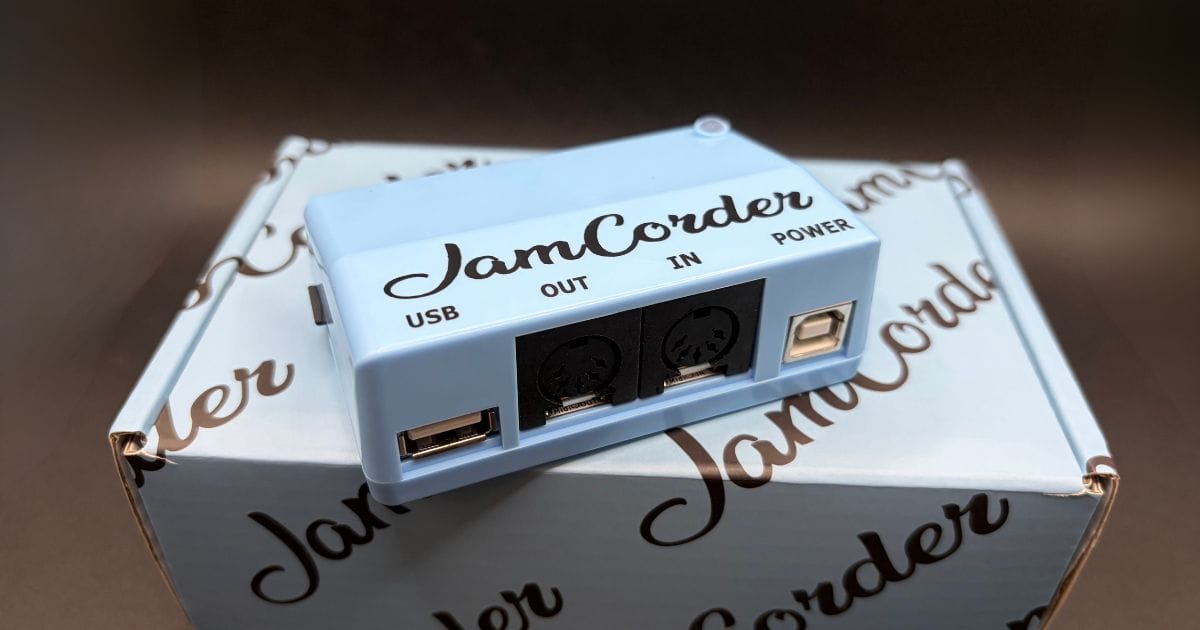
The Jamcorder is one of those products that solves a problem so cleanly it makes you wonder why it didn't exist sooner. For improvising musicians, practicing students, and anyone who plays a digital piano or MIDI-equipped keyboard outside of a DAW workflow, it's a transformative addition to the setup. Plug it in, forget it's there, and play. That's it. Your ideas are saved.
There are some limitations — needing one unit per instrument and a price that's crept up since launch — but these aren't even close to dealbreakers for the audience this thing is actually built for. The biggest surprise isn't that Jamcorder works — it's how much freedom it creates without needing to worry about recording or logging your playing.
If you're regularly sitting down to practice or improvise on a digital instrument and leaving sessions wishing you'd hit record, the Jamcorder is worth every penny.
Technical Specifications
- Connection: 5-pin DIN MIDI input, USB-A host port (for USB MIDI keyboards), 5-pin DIN MIDI output, USB-A power input
- Wireless: Bluetooth MIDI (BLE)
- MIDI recording: All standard MIDI messages — notes, velocity, pedal data, pitch bend, aftertouch/MPE, program changes, CC, sysex
- MIDI channels: All 16 channels recorded simultaneously
- Timing resolution: Millisecond-level MIDI timing
- Storage: Included 16GB microSD card
- Storage capacity: 25,000+ hours of MIDI recording
- Auto-detect: Starts recording on first note; pauses after 3 seconds of silence (adjustable); resumes instantly
- File format: Standard .mid (MIDI) files, one file per day
- App compatibility: iOS, Android, Apple Silicon Mac (M1–M4)
- App features: Piano roll visualizer, practice tracking/calendar, bookmarks, clips, sharing (MIDI, audio export, piano roll video), custom soundfonts, web interface via WiFi
- Multi-unit support: Yes — multiple Jamcorders can be managed in a single app
- Power: USB-A cable included; USB wall adapter not included
- Mounting: Adhesive tape included
- Price: $185 (sale) / $249 (list) at time of writing
- Available at: jamcorder.com


